
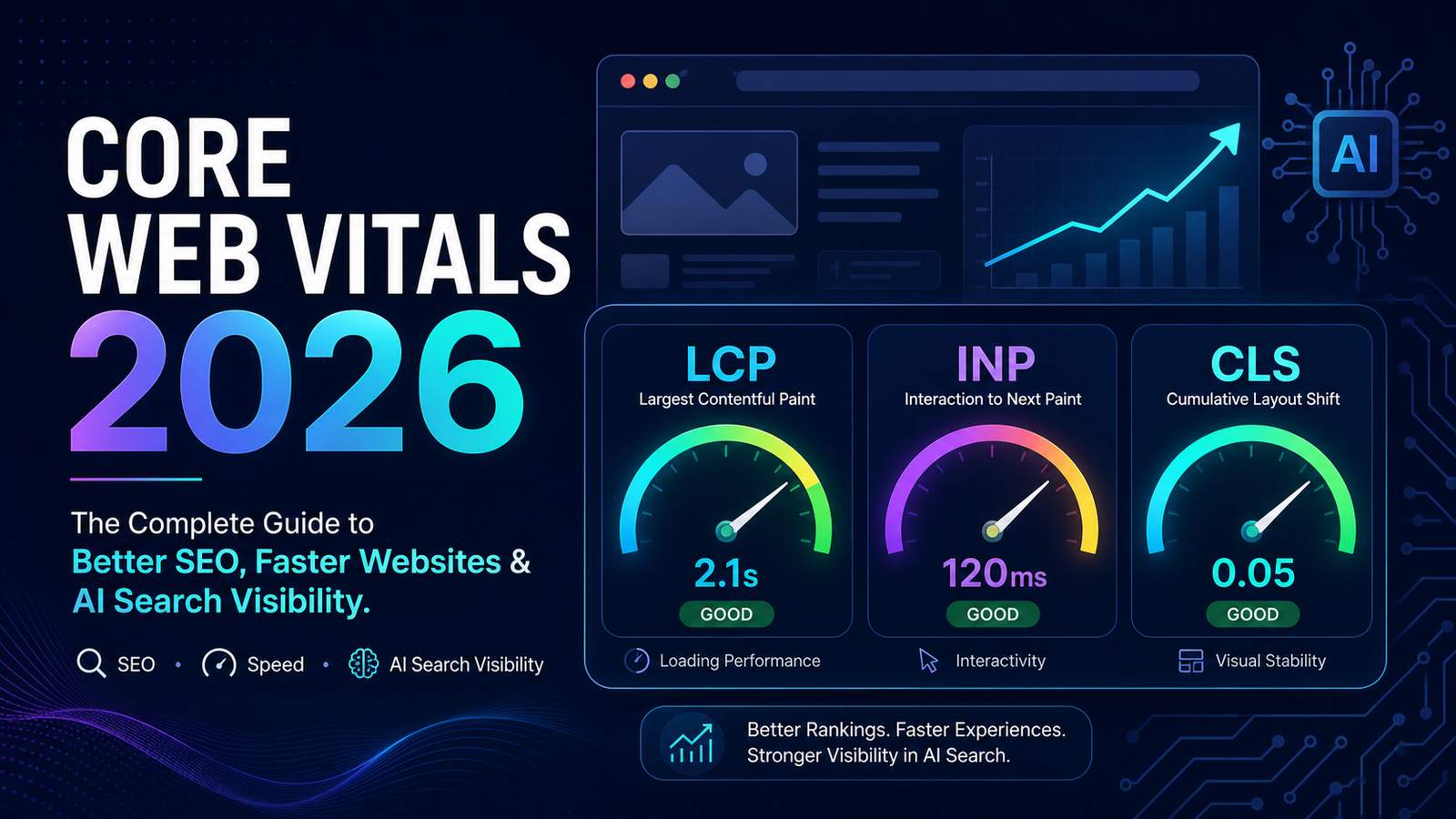
Core Web Vitals in 2026: The Complete Guide to Better SEO, Faster Websites & AI Search Visibility
Key Takeaways
- Core Web Vitals measure real user experience, not just page speed.
- The three metrics—Largest Contentful Paint (LCP), Interaction to Next Paint (INP), and Cumulative Layout Shift (CLS)—help identify issues that affect usability.
- Improving Core Web Vitals can enhance user experience, support SEO efforts, and improve conversion rates.
- AI-powered tools can analyze performance reports, identify bottlenecks, and recommend optimization opportunities more quickly than manual reviews.
- A perfect PageSpeed score is less important than delivering a fast, stable, and responsive experience to real users.
- Businesses should prioritize high-value pages, such as service pages, product pages, and landing pages, before optimizing every page on their website.
Table of Contents
- Introduction
- Core Web Vitals at a Glance
- WordPress Core Web Vitals Optimization Guide
- AI Workflow for WordPress Websites
- WordPress Optimization Checklist
- Common WordPress Performance Mistakes
- Best AI & Core Web Vitals Tools in 2026
- Example: Optimizing a WordPress Website
- Frequently Asked Questions
- Core Web Vitals Checklist
- Final Thoughts
Introduction
Imagine walking into a store where the lights take a few seconds to turn on, the shelves keep moving while you're trying to pick up a product, and the checkout counter doesn't respond when you're ready to pay. Most people wouldn't stay very long. The same thing happens online.
Visitors expect websites to load quickly, respond instantly, and remain stable while they browse. Even small delays or unexpected layout shifts can create frustration, reduce trust, and lead people to leave before taking action. This is exactly what Core Web Vitals are designed to measure.
Unlike traditional speed tests that focus only on how fast a page loads, Core Web Vitals evaluate how real users experience a website. They measure whether the most important content appears quickly, whether the page responds promptly to interactions, and whether the layout stays stable while loading. These metrics have become an essential part of modern technical SEO because they reflect something that search engines increasingly value: a positive user experience.
At the same time, search itself is evolving. Users are no longer relying solely on traditional search results. They are asking questions through AI-powered experiences such as Google AI Overviews, ChatGPT, Perplexity, and Gemini. These systems aim to surface helpful, trustworthy, and easy-to-understand information. While Google has not stated that Core Web Vitals directly determine whether a page appears in AI-generated answers, websites with strong technical foundations are generally better positioned to provide the kind of experience both users and search engines expect.
That doesn't mean you need a perfect PageSpeed score. One of the biggest misconceptions in SEO is that achieving a score of 100 automatically means your website is optimized. In reality, a site that scores 92 but loads quickly for visitors, responds immediately to clicks, and helps users complete their goals is often in a much stronger position than a site that chases a perfect score while overlooking real usability issues.
In this guide, you'll learn what Core Web Vitals are, how Google measures them, why they continue to matter in 2026, and how AI is changing the way businesses analyze and improve website performance. Whether you manage a small business website, an eCommerce store, or a large enterprise platform, the principles covered here will help you build a faster, more reliable, and more user-friendly website.
Core Web Vitals at a Glance

Core Web Vitals overview: LCP, INP, and CLS with their "good" performance thresholds.
WordPress Core Web Vitals Optimization Guide
One of the biggest advantages of WordPress is its flexibility. Whether you're running a business website, an online store, a blog, or a membership platform, WordPress gives you access to thousands of themes and plugins that make building a website easier.
The downside? Every plugin, script, page builder, animation, and third-party integration has the potential to affect performance.
Fortunately, improving Core Web Vitals on WordPress usually doesn't require rebuilding your website from scratch. In many cases, a series of thoughtful optimizations can produce significant improvements. The key is knowing which changes deliver the greatest impact.

The WordPress Performance Optimization Pyramid: hosting and caching form the foundation for great user experience.
Step 1: Choose Quality Hosting
Many businesses focus on themes and plugins while overlooking the foundation of their website—the hosting environment. Even the most optimized WordPress website will struggle if the server is slow.
Good hosting contributes to:
- Faster server response times
- Better uptime
- More consistent performance during traffic spikes
- Improved scalability
- Reduced Time to First Byte (TTFB)
When evaluating hosting providers, consider modern PHP versions, HTTP/2 or HTTP/3 support, built-in caching, SSD or NVMe storage, global CDN integration, automatic backups, and security updates. Think of hosting as the engine of your website—everything else depends on it.
Step 2: Use a Lightweight Theme
Not all WordPress themes are created equally. Some themes prioritize visual effects over performance, loading multiple animation libraries, large CSS files, excessive JavaScript, dozens of fonts, and unused page templates.
Others are designed with performance in mind. Characteristics of lightweight themes include minimal CSS, clean HTML structure, efficient JavaScript, accessibility support, mobile-first design, and compatibility with popular optimization plugins. A lightweight foundation makes every future optimization easier.
Step 3: Review Your Plugins
One of the most common WordPress myths is: "The more plugins you install, the slower your website becomes." That's not entirely true. Ten well-coded plugins can outperform three poorly optimized ones.
Instead of counting plugins, evaluate them based on value. Ask:
- Does this plugin solve a real business problem?
- Is it actively maintained?
- Is another plugin already providing the same functionality?
- Does it load assets on every page unnecessarily?
Every unnecessary plugin increases maintenance, security risk, and potential performance overhead.
Plugin Audit Checklist
- Is it still needed?
- Is it updated regularly?
- Does it duplicate another plugin?
- Does it load JavaScript on every page?
- Does it affect Core Web Vitals?
If the answer is "no" to the first question or "yes" to unnecessary overhead, consider replacing or removing it.
Step 4: Optimize Images
Images are one of the largest contributors to poor Largest Contentful Paint (LCP). Best practices include:
- Resize images before uploading
- Use modern formats like WebP or AVIF where supported
- Compress images without noticeable quality loss
- Avoid uploading oversized originals directly from design software
- Lazy-load below-the-fold images
- Preload the hero image when appropriate
A single unoptimized hero image can delay the perception of speed more than dozens of smaller graphics.
Step 5: Implement Smart Caching
Caching allows your website to serve content more efficiently by reducing the amount of work required for repeat visits.
| Cache Type | Purpose |
|---|---|
| Browser Cache | Stores files locally in the visitor's browser |
| Page Cache | Serves pre-generated HTML instead of rebuilding pages on every request |
| Object Cache | Speeds up database-intensive websites |
| Opcode Cache | Improves PHP execution efficiency |
For many WordPress sites, enabling effective page caching provides one of the quickest performance improvements.
Step 6: Use a Content Delivery Network (CDN)
Visitors don't always access your website from the same geographic location. A CDN stores copies of your website on servers around the world. When someone visits your website, content is delivered from the server closest to them whenever possible.
Benefits include faster image delivery, reduced latency, improved scalability, better global performance, and reduced server load. For businesses serving international audiences, a CDN is often a worthwhile investment.
Step 7: Reduce JavaScript and CSS
Over time, WordPress websites accumulate unnecessary assets—scripts from old plugins, duplicate libraries, unused CSS, and page builder assets on pages that don't require them.
Reducing unnecessary resources helps improve both LCP and INP. Possible improvements include minifying CSS and JavaScript, deferring non-critical scripts, removing unused assets, and loading scripts only where needed.
Step 8: Optimize Fonts
Fonts are frequently overlooked during performance optimization. Consider limiting the number of font families, using fewer font weights, preloading important fonts, and choosing efficient loading strategies. These changes improve both visual stability (CLS) and loading performance.
Step 9: Optimize Third-Party Scripts
Many websites rely on external services such as analytics, live chat, advertising, marketing automation, social media embeds, and scheduling tools. Each additional script increases browser workload.
Review these integrations regularly and remove tools that no longer provide value. Every script should justify its existence.
Step 10: Monitor Continuously
Performance optimization isn't a one-time project. New plugins, content updates, marketing tools, and design changes can all affect Core Web Vitals over time. Develop a regular review process.
Monthly: Review PageSpeed Insights, check Search Console, update plugins, remove unused assets.
Quarterly: Audit hosting performance, review third-party integrations, test important landing pages, analyze Core Web Vitals trends.
Continuous monitoring prevents small issues from becoming significant problems.
AI Workflow for WordPress Websites
Artificial intelligence can simplify many of these tasks. A practical workflow might look like this:

A practical AI-assisted workflow: Measure, Analyze, Prioritize, Implement, Validate.
This approach helps teams spend less time interpreting reports and more time improving the website.
WordPress Optimization Checklist
Before publishing new pages, verify the following:
- Images optimized
- Hero image preloaded
- Unused plugins removed
- JavaScript reviewed
- CSS minimized
- Fonts optimized
- Caching enabled
- CDN configured (if applicable)
- Core Web Vitals tested
- Mobile performance reviewed
This simple checklist can become part of your publishing workflow.
AI Prompt: Audit My WordPress Website
Common WordPress Performance Mistakes
- Installing multiple plugins that perform similar tasks
- Uploading full-resolution images directly from a camera or design tool
- Using heavy page builders without optimization
- Running outdated PHP versions
- Loading marketing scripts on every page
- Ignoring mobile performance while optimizing only for desktop
- Chasing a perfect PageSpeed score instead of improving real user experience
Best AI & Core Web Vitals Tools in 2026
Improving Core Web Vitals isn't about finding a single "magic tool." Each tool serves a different purpose. Some help you measure performance, others help you debug technical issues, and AI assistants help you interpret results and prioritize improvements.

Core Web Vitals tools by AI capability: testing tools vs. AI-assisted analysis tools.
Which Tool Should You Use?
| Tool | Best For | Free/Paid | AI Features |
|---|---|---|---|
| Google PageSpeed Insights | Official Core Web Vitals testing | Free | No |
| Lighthouse | Development testing | Free | No |
| Chrome DevTools | Advanced debugging | Free | No |
| GTmetrix | Performance monitoring | Free/Paid | Limited |
| DebugBear | Continuous monitoring | Paid | Limited AI-assisted insights |
| ChatGPT | Report analysis & prioritization | Free/Paid | Yes |
| Google Gemini | Documentation & explanations | Free/Paid | Yes |
| Claude | Technical planning & documentation | Free/Paid | Yes |
Example: Optimizing a WordPress Website
Note: The following example is for educational purposes and demonstrates a typical optimization process. Individual results will vary depending on the website, hosting environment, and implementation quality.
The Situation
A local service business noticed that visitors were leaving its website quickly, particularly on mobile devices. A PageSpeed Insights report highlighted several issues: large hero images, render-blocking CSS, excessive JavaScript, missing image dimensions, and multiple third-party marketing scripts.
Step 1: Measure
The team gathered data from Google PageSpeed Insights, Google Search Console, and Lighthouse. This provided both Lab Data and Field Data.
Step 2: Analyze with AI
The reports were uploaded to an AI assistant with a prompt to explain each issue in plain English and create a phased implementation plan.
Step 3: Implement Improvements
- Compressed and converted hero images to WebP
- Enabled page caching
- Deferred non-critical JavaScript
- Added width and height attributes to images
- Removed two unnecessary plugins
- Delayed loading of a live chat widget until user interaction
Step 4: Validate Results
After the updates, Lighthouse reflected immediate improvements, and Search Console gradually showed more URLs moving into the Good category over the following weeks.

Illustrative before/after comparison of LCP, INP, and CLS following the optimization case study.
Frequently Asked Questions
Does Core Web Vitals still matter in 2026?
Yes. Core Web Vitals remain part of Google's page experience signals, and they continue to reflect how real users experience a website.
Is Core Web Vitals a ranking factor?
Core Web Vitals are one of several signals Google considers as part of overall page experience, rather than a standalone ranking factor that guarantees higher positions.
Can AI fix Core Web Vitals automatically?
AI can analyze performance reports and prioritize recommendations, but it cannot implement fixes on its own. A developer or website owner still needs to make the actual changes.
What is a good INP score?
Google generally considers an INP under 200 milliseconds to be good, 200–500 milliseconds to need improvement, and anything above 500 milliseconds to be poor.
How often should I check Core Web Vitals?
Most businesses benefit from checking PageSpeed Insights and Search Console monthly, with a more thorough quarterly review of hosting, plugins, and third-party scripts.
Which WordPress plugins help improve Core Web Vitals?
Common categories include caching plugins, image optimization plugins, and lightweight performance plugins for minification and script deferral.
Does page speed affect Google AI Overviews?
Google hasn't confirmed that Core Web Vitals directly determine inclusion in AI Overviews, but strong technical foundations support a better overall experience.
How long does Search Console take to update Core Web Vitals?
Search Console typically reflects Core Web Vitals data based on a rolling 28-day period of real-user data.
Should I optimize desktop or mobile first?
Most websites should prioritize mobile performance first, since Google primarily uses mobile-first indexing.
What's the difference between PageSpeed Insights and Search Console?
PageSpeed Insights provides Lab and Field Data for a single page at test time, while Search Console aggregates real-user Field Data across your entire website over time.
Core Web Vitals Checklist
- Hero image compressed and preloaded
- Images resized and converted to WebP or AVIF
- Below-the-fold images lazy-loaded
- Page caching enabled
- CDN configured (if serving a wide geographic audience)
- Unused plugins removed
- JavaScript minified and non-critical scripts deferred
- CSS minified and unused styles removed
- Fonts limited and preloaded where necessary
- Third-party scripts reviewed and delayed until interaction where possible
- PageSpeed Insights and Lighthouse tested after changes
- Search Console monitored over the following weeks
- Mobile performance specifically reviewed
- AI analysis used to prioritize next steps
Final Thoughts
Core Web Vitals aren't a technical checkbox to tick once and forget. They're an ongoing reflection of how real people experience your website—whether they can find what they need quickly, interact without frustration, and trust that the page won't shift unexpectedly beneath them.
In 2026, the businesses that get the most value from Core Web Vitals are the ones that treat them as a means to an end: better user experience, stronger engagement, and improved conversions, rather than a score to chase for its own sake. AI has made the analysis side of this work faster and more accessible, but it doesn't replace the judgment needed to implement changes thoughtfully and validate results against real user data.
If you manage a WordPress website and want a clear picture of where your Core Web Vitals stand today, start with the checklist above and a fresh PageSpeed Insights report. And if you'd rather have an experienced team handle the technical SEO and performance work for you, explore our SEO Services to see how Digitize Global helps businesses build faster, more reliable, and more search-friendly websites.